

UNLEASHED INTEGRATION
To setup the Unleashed integration with Mintsoft generate the API keys by logging into unleashed and Navigating to Integration > Unleashed API Access
(note you will need to be on the unleashed medium package of $180 per month to have API access)
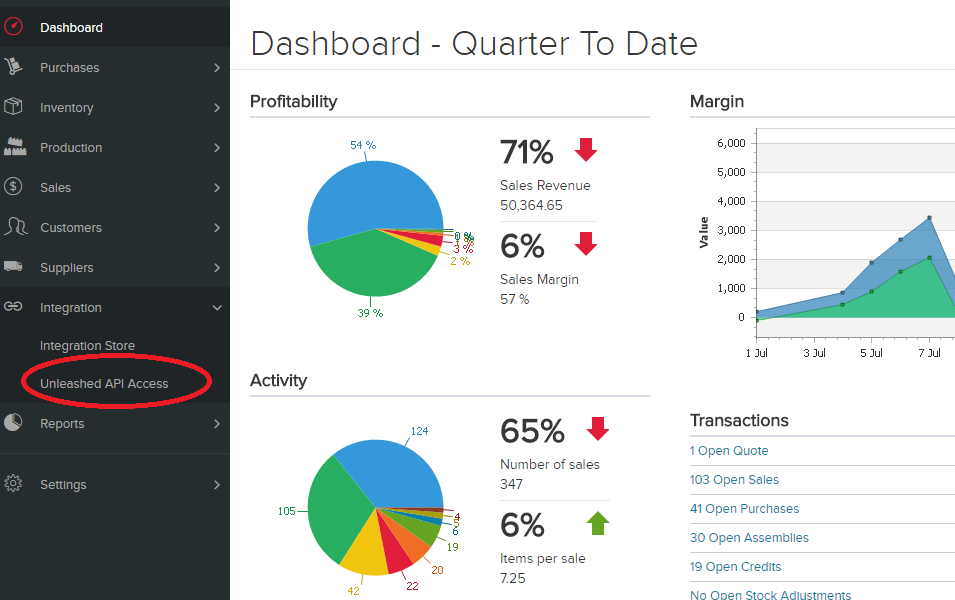
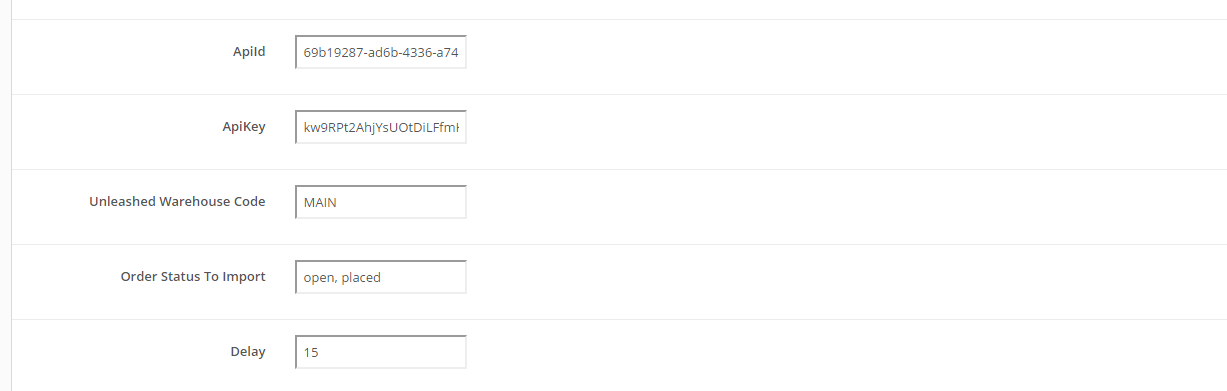
Then copy and paste API ID and Key into Mintsoft connection page. (Connect > Overview > Unleashed)
Warehouse Code
The default warehouse code that unleashed uses is MAIN.
If you have multiple warehouses setup - you can view the list of warehouse codes on unleashed in Settings > System > Warehouses
Order Statuses to Import
The default statuses on unleashed are:
Open, placed, parked, backordered, completed
You can choose to import orders in one status, or multiple.
To import multiple reasons - just seperate the list by a comma as per below:
Stock Adjustment Reasons
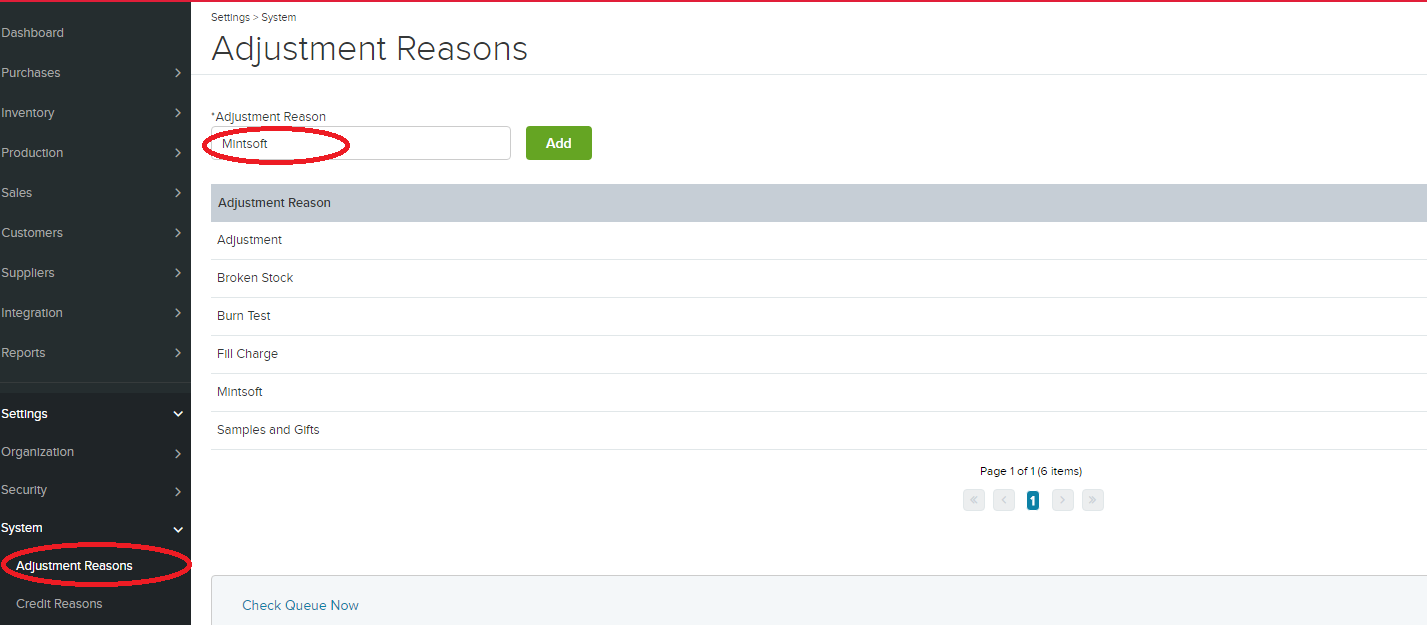
To use stock sync you will need to setup an adjustment reason for stock sync or the sync will fail.
Please go to System > Adjustment Reasons on unleashed and add Mintsoft:
Stock Adjustment Reasons
To use stock sync you will need to setup an adjustment reason for stock sync or the sync will fail.
Please go to System > Adjustment Reasons on unleashed and add Mintsoft: